
Accepted Bid Instructions
This page includes instructions to finalize registration for applicants with winning bids. You will receive an email if your bid is accepted.
All SREC Delaware participants need to sign and return their Transfer Agreement and Schedule A. The Transfer Agreement is a binding agreement in which you agree to sell your designated amount of SRECs to the Delaware Sustainable Energy Utility for the contract period. The Schedule A gives SREC Delaware permission to manage your solar facility within the PJM-EIS GATS system. The GATS system is the platform where SRECs are created, bought, and sold. The SREC Delaware team will manage your facility in GATS.
Log in to your SREC Delaware Account.
Log in to your SREC Delaware account. Make sure that you are using the same email address that you used to submit your SREC Delaware application.
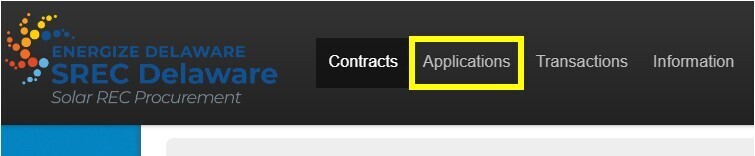
Navigate to the “Applications” page.
Click on the “Applications” page on the top bar. The Applications page will show you your winning bid(s). Click “Continue” next to your application name.
Step 1: Verify the information included with your application.
This page will display the information you submitted in your application. You will not be able to edit the information on this page. Please review the information and confirm that it is correct. If any information is incorrect, please contact the SREC Delaware team.
This page will also ask you to identify whether payment will be made to the Owner or to an Owner Representative (if one is designated).
If the information is correct, click “Accept and Confirm.”
Step 2: Select a method to sign & return your Transfer Agreement:
This page will provide you with information about how to sign & return your Transfer Agreement. The recommended option is to have the SREC Delaware team send the document to you for electronic signature.
Select an option to sign & return your Transfer Agreement, then click “Proceed to Step 3.”
Step 3: Select a method to sign & return your Schedule A:
This page will provide you with information about how to sign & return your Schedule A. The recommended option is to have the SREC Delaware team send the document to you for electronic signature.
Select an option to sign & return your Schedule A, then click “Proceed to Step 4.”
Step 4: Enter or confirm your system information & provide a meter photo:
If you did not provide your interconnection date or DE State Certification number on your application, you can provide them at this step. If you still do not have this information, you can skip these fields and provide the information later.
- Date the utility issued interconnection approval: The date on which your system was approved by your utility.
- DE State Certification Number: The number you received from the Delaware Public Service Commission when you registered your system. This number will have a form similar to: DE-######-SUN-##-##. If you do not have a Delaware State Certification Number you will need to obtain one from the DE Public Service Commission. To learn more about applying for a Delaware Certification number, click here.
You can also provide a revenue grade meter photo or revenue grade online monitoring at this stage.
- If you have a revenue-grade meter, submit a photo of the solar meter installed at your facility.
- If you have revenue-grade online monitoring, submit a screenshot of your solar online monitoring app or solar online monitoring dashboard.
If you have questions about the kind of monitoring your system has, please contact your solar company for further information.
Once you have entered all necessary information click “Save.”